Skip to content

AUROORCH APP

An APP for installers and homeowners, with Sera in supported workflows. Branding and release scope are agreed per project.

Product preview. Interfaces use offline demo data or illustrative workflows. Available functions depend on the device, firmware, configuration and project acceptance; these examples are not evidence of production operation or a savings guarantee.

Installer · Commissioning task list
Installer · Parameter check by Sera

For installers

Fewer steps to handover, and a clear way back when something fails.

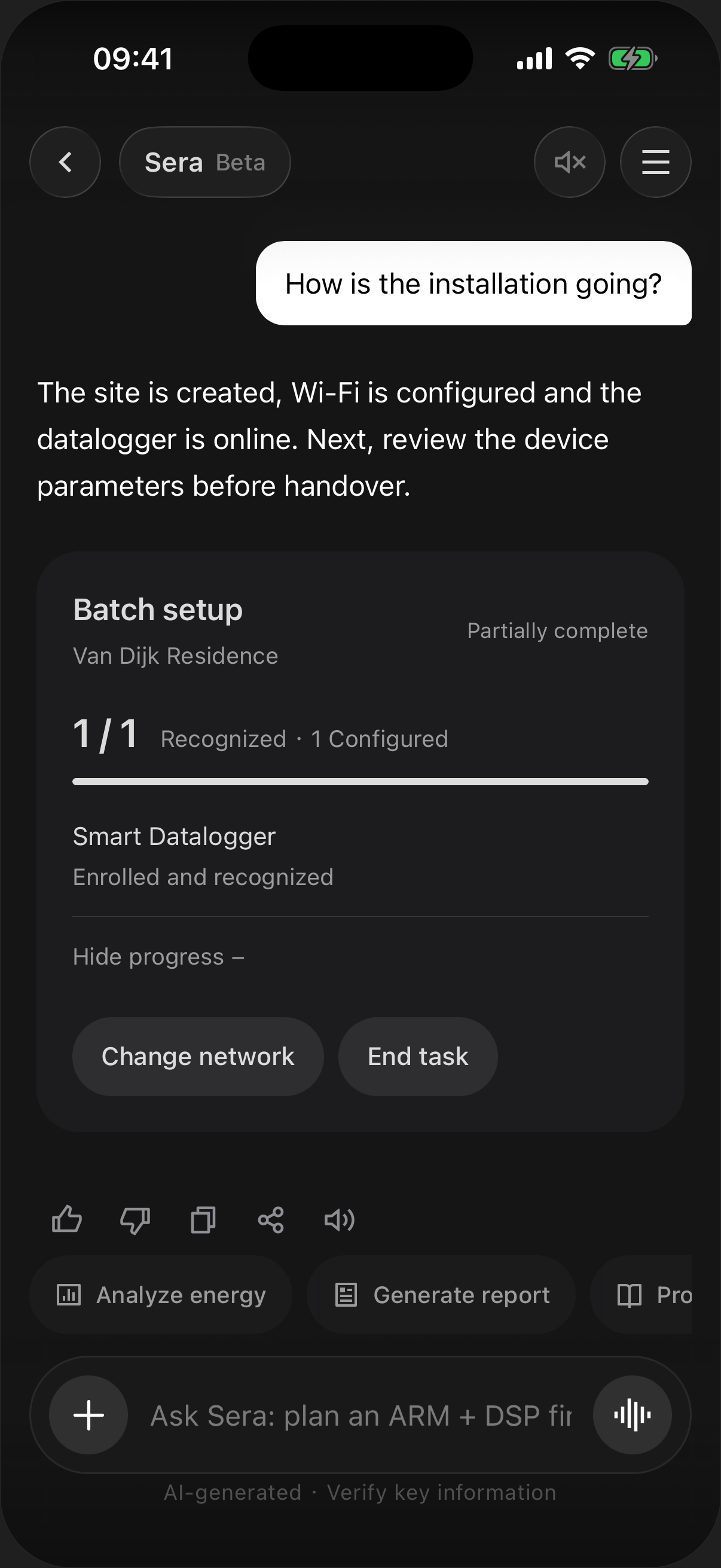
  1. Installer · Commissioning task list

    Keep installation progress visible

    Commission devices, help the customer register, link the site, set parameters and confirm the data. Sera shows the setup progress and the next step.

  2. Installer · Parameter check by Sera

    Parameters, explained

    Supported parameter workflows provide explanations and validation. Coverage depends on the device profile, permissions and available evidence.

For homeowners

Less complexity, more confidence.

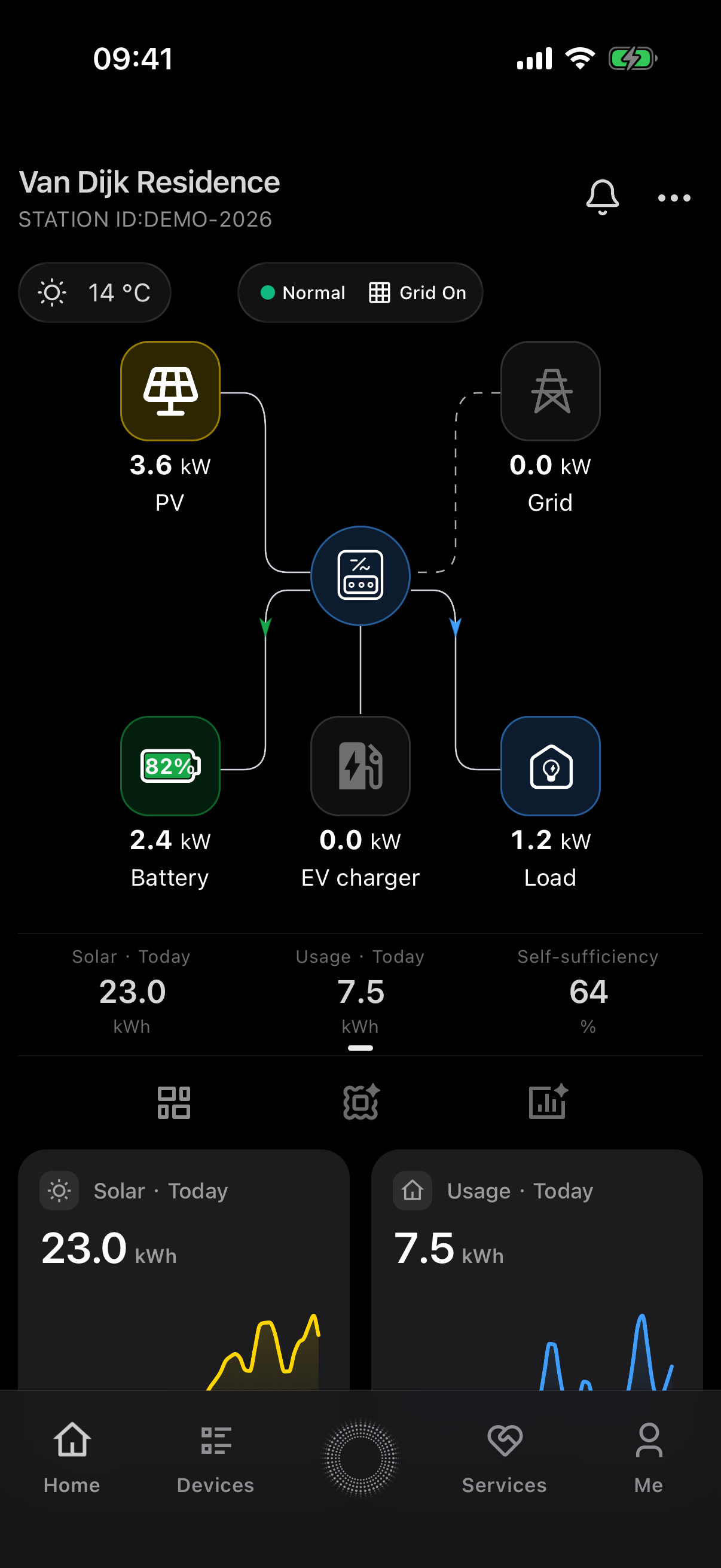
  1. Homeowner · Home energy flow

    See what’s happening

    Live energy flow, battery state, generation and consumption, at a glance.

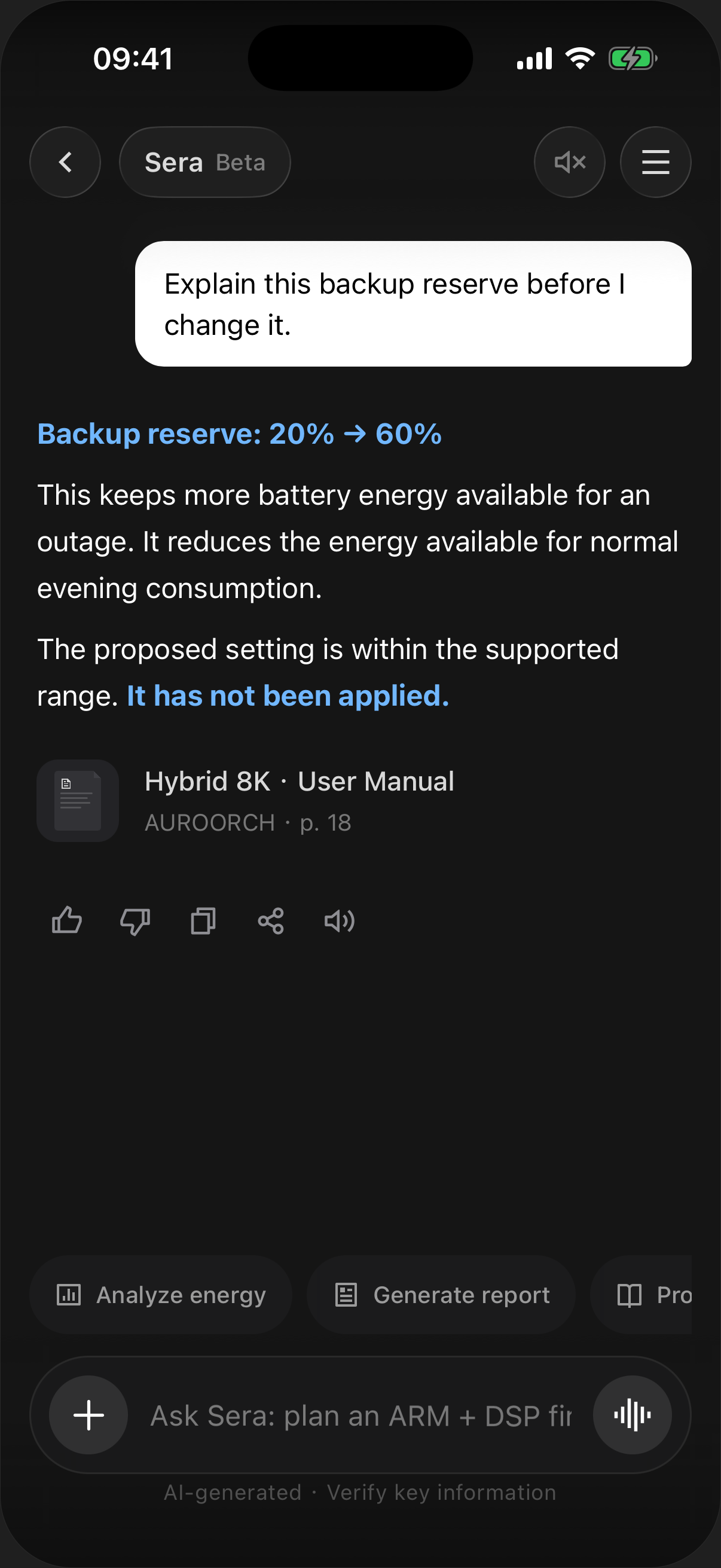
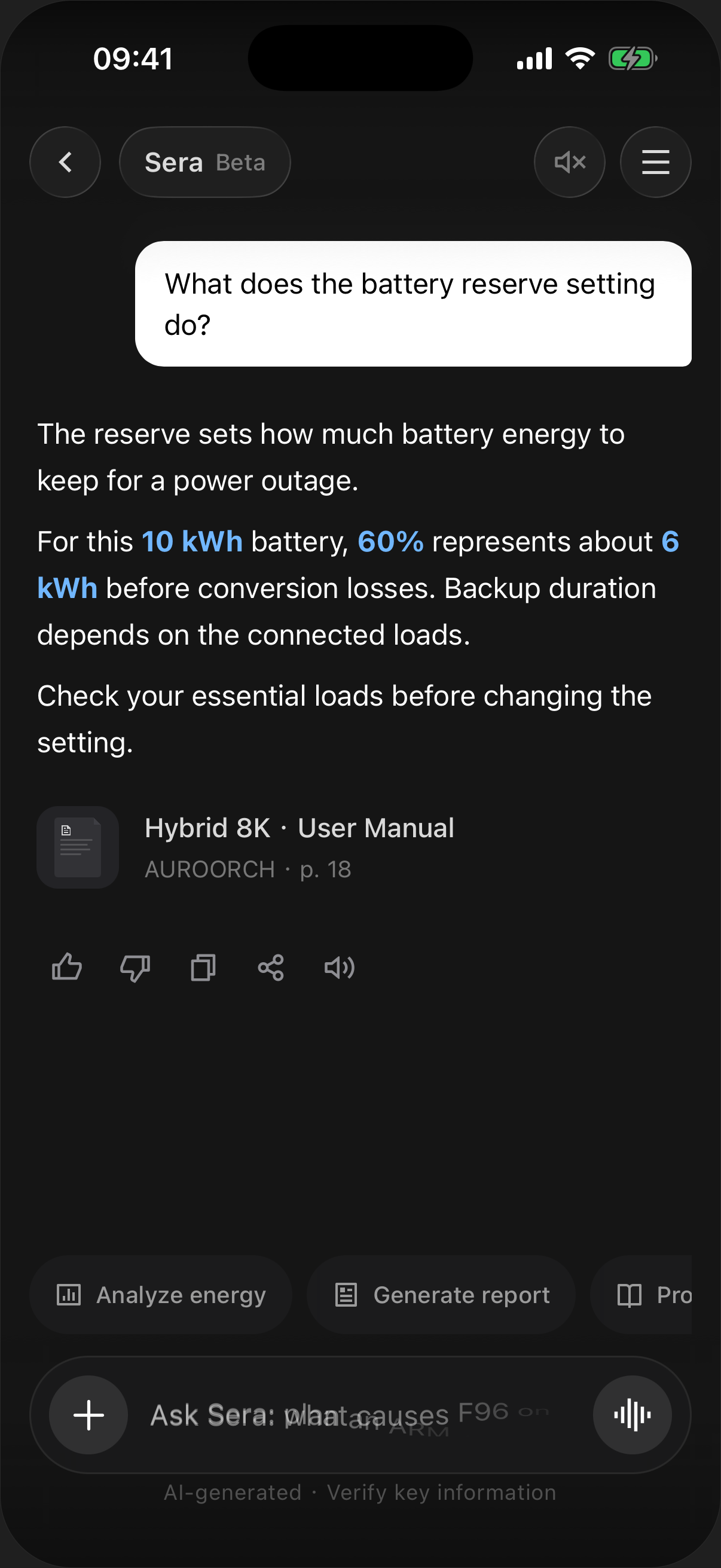
  2. Homeowner · Sera answer with sources

    Ask Sera about the system

    “What does backup reserve do?” Sera explains the setting, links the source and makes the trade-offs clear.

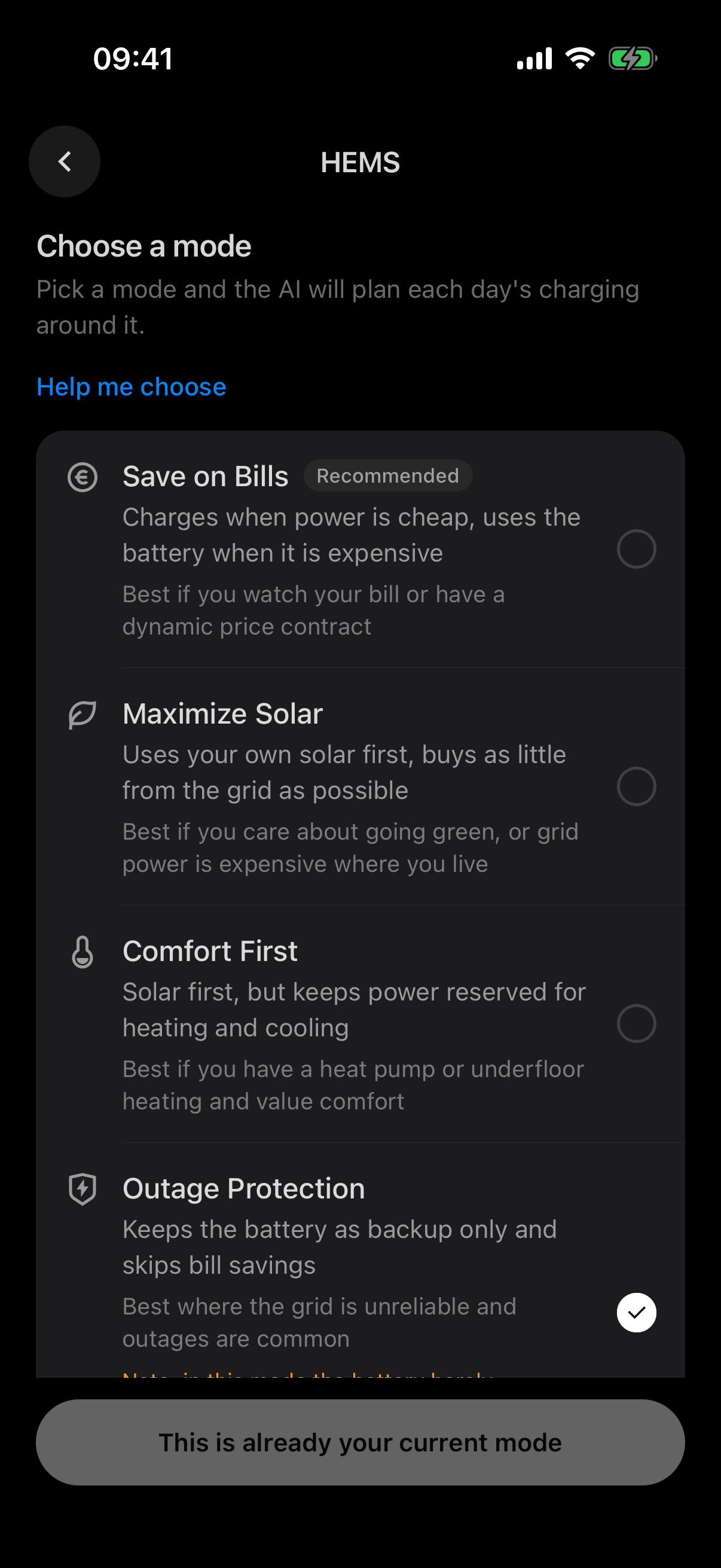
Energy management, in plain words

Illustrative household goals; available modes depend on the device and accepted configuration

Maximize Solar
“Use the sun first.”
Save on Bills
“Run in the most economical way.”
Outage Protection
“Reserve energy within the equipment’s capabilities.”
Comfort First
“Don’t save at the expense of comfort.”

Plans you can check

Preview and read-back are separate capabilities that require evidence for the target device.

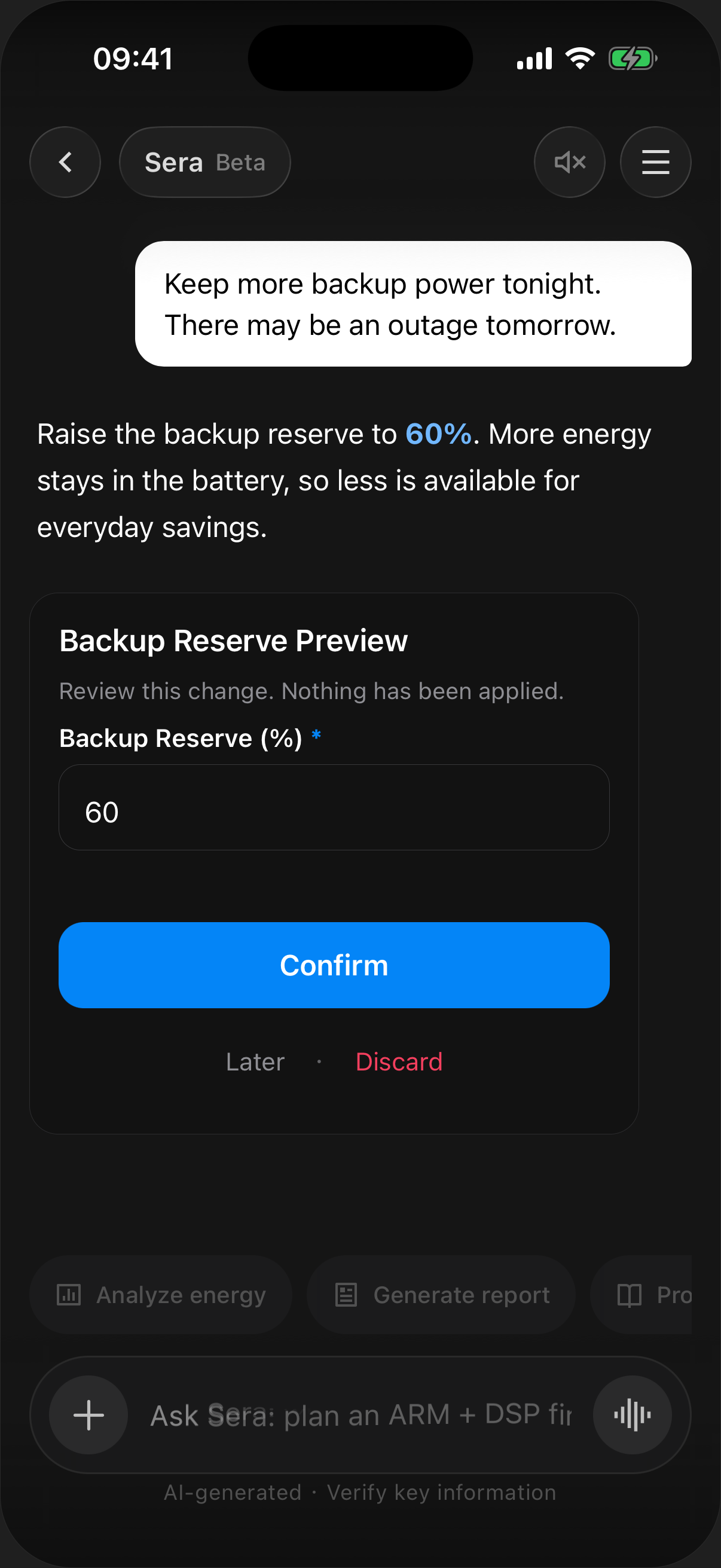
  1. HEMS · Backup reserve confirmation

    Preview before execution

    Review the proposed setting and its trade-offs before confirming. In this example, raising the backup reserve to 60% leaves more energy for an outage and less for everyday savings.

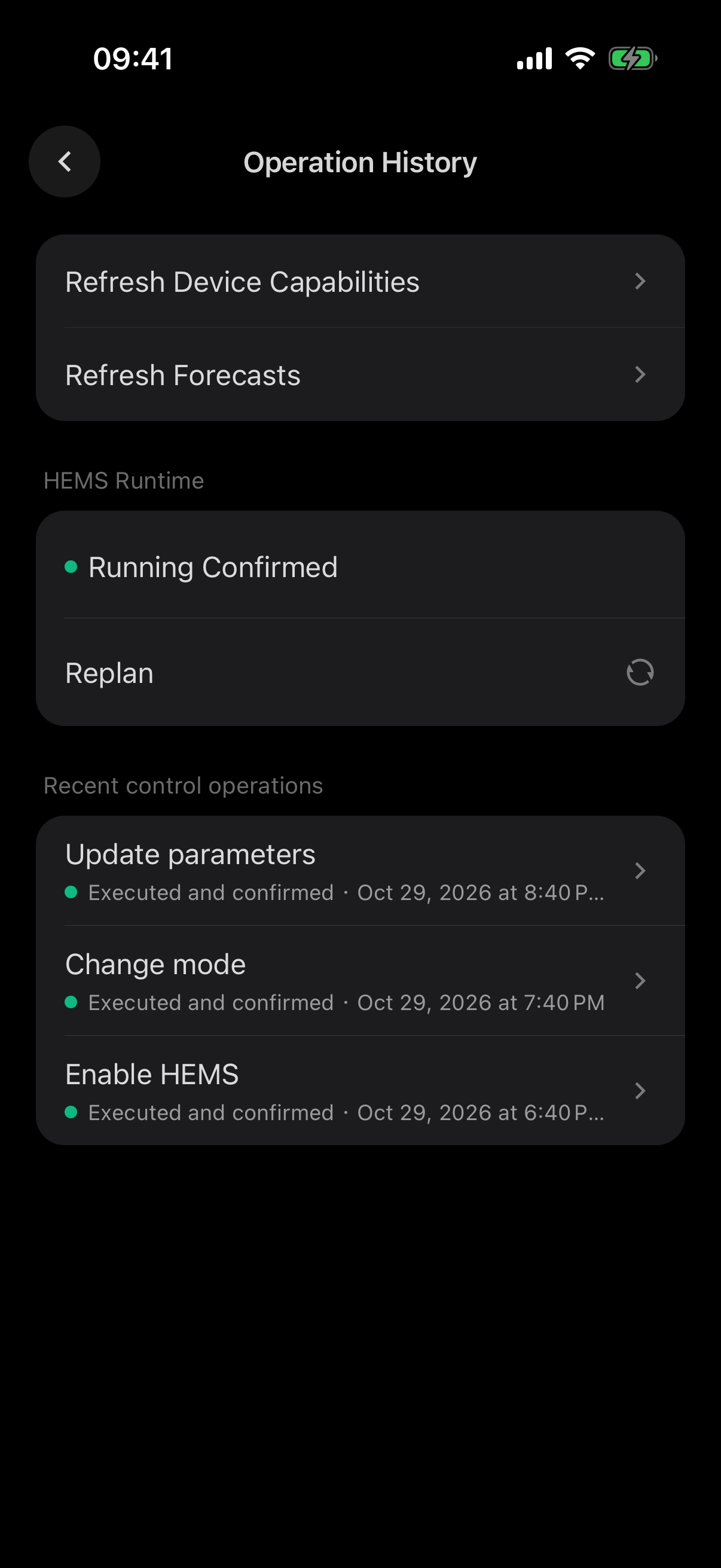
  2. HEMS · Execution read-back

    Plans that check themselves

    A command receipt is not proof of execution. Read-back must be supported and verified for the target firmware; missing verification is shown as incomplete.

SERA / WITH YOU, EVERY STEP

Sera workflow scope

Each capability has a defined input, output and permission scope, opened and accepted per project

01 SERA / CAPABILITIES

Understand the energy.
Explain the why.

observe
Reads authorized device, site and operating data, and checks time and completeness first.
explain
States the conclusion, the reasons, the impact, the limits and the next action.
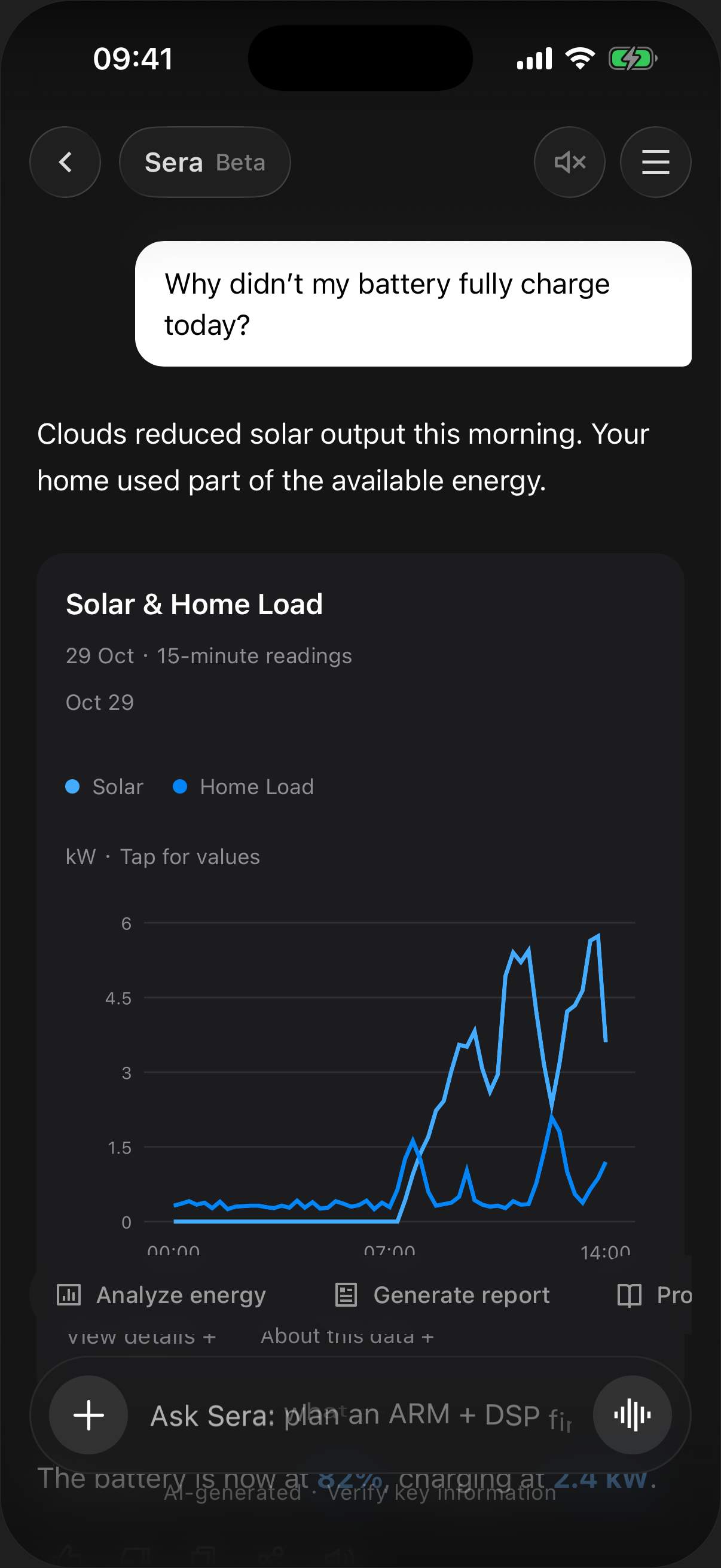
Energy analysis
From readings to understanding

02 SERA / CAPABILITIES

A clear source.
A considered plan.

retrieve
Finds evidence in reviewed manuals, product material and case history, with sources.
preview
Simulates a plan before it runs and marks what is uncertain.
Answers with sources
Evidence before a decision

03 SERA / CAPABILITIES

You confirm.
Sera checks back.

act
Supported write workflows require their applicable confirmation, authorization and device-readiness gates; previews do not prove dispatch readiness.
verify
Where verified read-back is available, compare reported state with the request; otherwise keep the outcome unverified.
Operation confirmation
Permission. Confirmation. Verification.

04 SERA / CAPABILITIES

Keep the context.
Build on experience.

handoff
Packages facts, attempted steps and missing details for the right person.
learn
Adds a fix to the knowledge base once a person has reviewed it.
01
Site contextFacts · Attempts · Open questions
02
Service specialistThe right person, with the full picture
03
Reviewed knowledgeHuman review before reuse
A human stays in the loop

Your brand, your markets

Branding
Brand identity and delivery requirements can be discussed as part of the project scope.
Languages
Language resources include Chinese, English, Dutch, German and Arabic. Translation coverage and release availability are validated per project.
Roles
Installer and homeowner roles with scoped permissions.

See Sera on your own devices

Book a demo
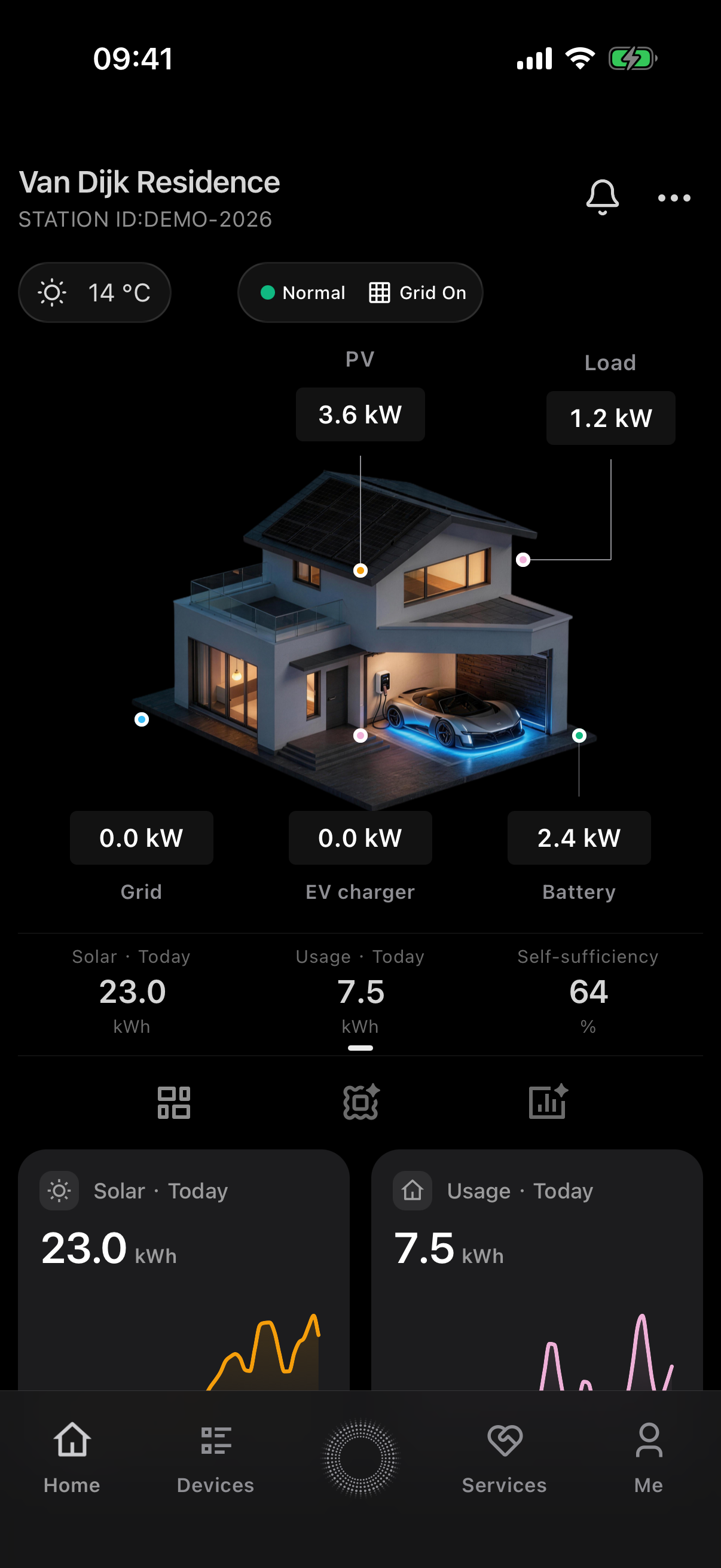
Station home · Simple mode